




Wednesday, 29 July 2026 10:00 PM
Product Announcements
As hurricane season enters its peak months, businesses can review 5G backup connectivity, carrier coverage and power planning
CHANTILLY, VA / ACCESS Newswire / July 29, 2026 / InHand Networks, a provider of business networking and IoT solutions, today outlined five practical steps small businesses can take to prepare for an internet outage.
For many small businesses, a lost internet connection can interrupt card payments, cloud applications, security monitoring and customer communications. According to NOAA's 2026 Atlantic hurricane outlook, the season runs from June 1 through November 30, with peak activity most likely between August and October. This gives businesses a timely reason to review what would happen if their primary internet connection went down.
"The time to find out whether a backup connection works is not after the primary line goes down," said a spokesperson for InHand Networks. "Businesses should decide in advance what must stay connected, how backup service will be activated and which equipment needs backup power."
Five Steps to Prepare for an Internet Outage
1. Identify what must stay online.
Businesses should decide which functions take priority during an outage, such as payment processing, order management, security monitoring, customer communications or access to cloud-based systems.
2. Use a separate cellular connection.
A 5G cellular router can provide another path to the internet when wired broadband is unavailable. Businesses should decide how the backup connection will be activated and confirm that the data plan can support priority traffic.
3. Verify carrier certification and local coverage.
Certification confirms that a device has completed the carrier's approval process, but it does not guarantee coverage or performance at every location. Businesses should check signal conditions and service availability at each intended site.
4. Plan for power beyond the router.
A router battery can keep the router running during a power interruption, but switches, payment terminals, computers and other connected equipment need their own backup power.
5. Test and monitor the backup plan.
Businesses should periodically verify the cellular service, data plan, router configuration and connected equipment. Centralized monitoring can help teams oversee multiple locations and identify problems without an on-site visit.
Where the CR602 Fits
For businesses evaluating 5G backup connectivity, the InHand Networks CR602 combines 3GPP Release 16 5G NR, Wi-Fi 7 and dual 2.5GbE ports. It is certified for Verizon, AT&T and T-Mobile, giving businesses more choice when evaluating cellular service in the United States.
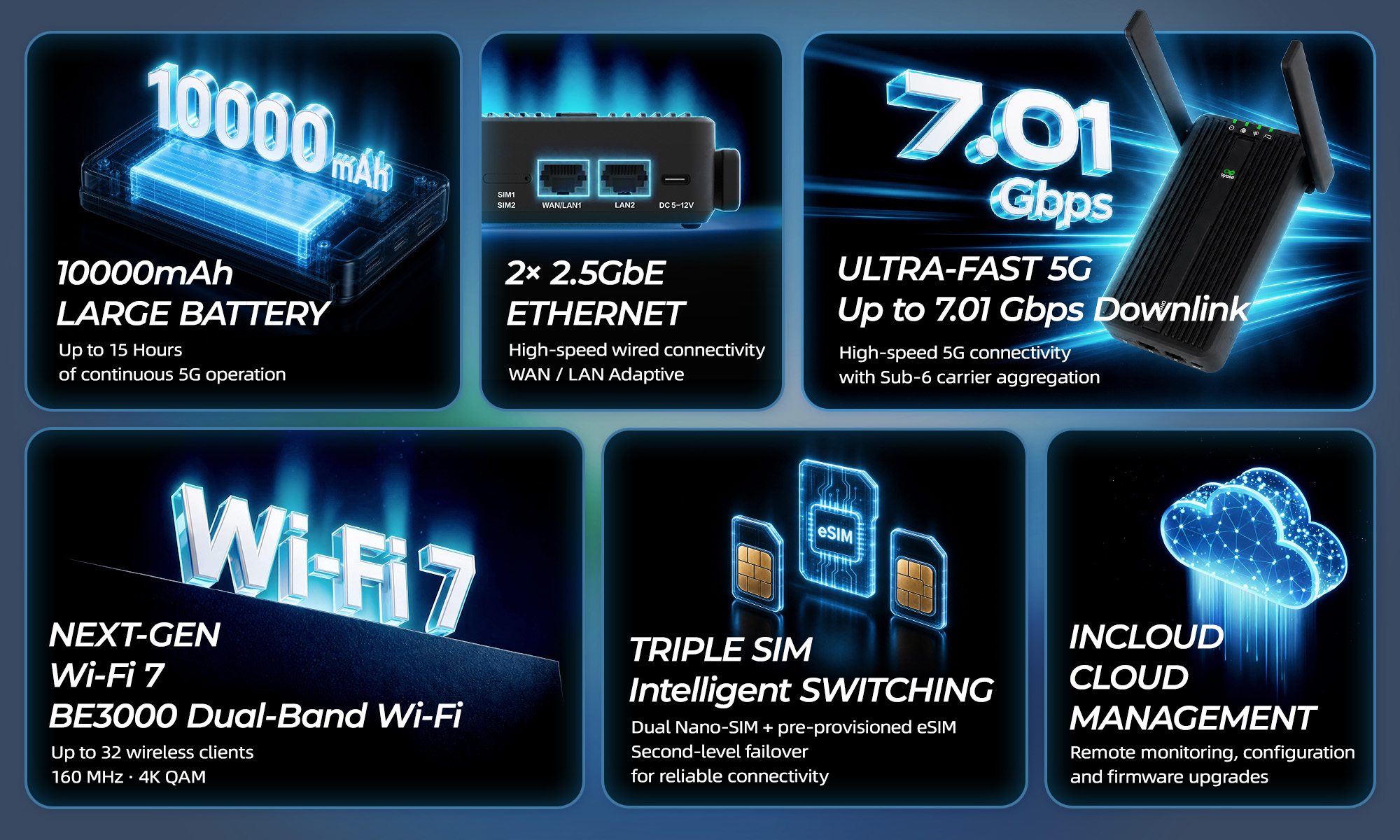
The CR602 includes a 10,000mAh battery rated for up to 15 hours of operation in 5G mode. Actual runtime varies with network conditions, traffic load, configuration and operating environment. It supports up to 32 Wi-Fi client devices, while InCloud Manager provides centralized monitoring, remote diagnostics and configuration management.
No single device can eliminate outage risk. Cellular service still depends on carrier network availability and local coverage, and the CR602 battery powers the router, not other business equipment. A practical continuity plan must account for both connectivity and power at each location.
Learn more about the CR602 5G Cellular Router at:
https://www.inhand.com/en/products/cellular-routers/cr602
About InHand Networks
InHand Networks provides IoT and networking solutions for business networking, industrial IoT, smart commerce, digital energy and mobility. Its products and cloud services help organizations connect and manage operations across distributed sites. Learn more at https://www.inhand.com.
Media Contact
Eleanor Chen
Marketing & Communications
[email protected]
SOURCE: InHand Networks
Related Documents: